
Reviewed · SOUTH KOREA
South Korea Data eSIM: 0.5GB/day to 30GB-30Days(Instant Delivery)
South Korea is a place where a working phone matters. You need data for maps, translation, train information, restaurant searches, and those last-minute directions through Daegu’s busy streets. This prepaid eSIM sends a QR code by email within minutes, so you can arrange your connection before takeoff or install it after landing.
I like two things right away: the service connects to KT in South Korea, with 4G LTE or 5G speeds when available, and mobile hotspot is supported. A user reported good coverage from Incheon to Seoul and as far as mountainous Pyeongchang, which is encouraging if your trip goes beyond the main cities.
The catch is compatibility. Your phone must support eSIM and be unlocked, and the plan begins as soon as you install it. Two phones in one booking worked while two others did not, so checking your exact model before buying is not optional. There are also no refunds for compatibility problems or changed plans.
- QR code delivery within minutes: You receive installation instructions by email rather than collecting a plastic SIM at the airport.
- KT network in South Korea: The plan is designed to connect through a major local network, with 4G LTE or 5G depending on availability.
- Daily and fixed-data choices: Daily plans reset at 0000, GMT+8, while fixed plans reduce to 128 kbps after the high-speed allowance is used.
- Data only: You get internet access but no South Korean phone number, voice calls, or SMS.
- Useful for more than Daegu: The service is listed for South Korea generally, and actual use has included Seoul, Incheon, and Pyeongchang.
- One-time prepaid pricing: There is no contract or automatic renewal, but installation starts the validity clock immediately.
Why Mobile Data Matters in Daegu
Daegu is easy to explore with a phone in hand, but much less convenient without one. You may need live directions, translation help, transit information, or a map to find a cafe tucked away from a main road. Even when free Wi-Fi is available, it is not always waiting when you need it.
This eSIM gives you a data connection without replacing your physical SIM card. That means you can keep your regular SIM in the phone, depending on your device, and use the eSIM for internet access. The supplied information does not promise dual-SIM behavior for every phone, so you should check your model and set your mobile-data line carefully before using it.
The starting price shown is $3.18 per person, though the final cost depends on the plan you select. That is a small outlay compared with buying airport data, and one use report specifically noted that airport SIM prices were much higher. The value is strongest if you want a quick, prepaid connection and do not need a local number.
Installing the QR Code Before You Fly
The basic process is simple. After booking, you receive a QR code by email, usually within minutes. Your phone scans the code, downloads the eSIM profile, and then uses it as a mobile-data line.
The important word here is installation. The validity period starts when the eSIM is installed, not when you first open Google Maps in Korea. If you install a 30-day plan at home several days before departure, you may use up part of the plan before reaching Daegu.
I would wait until your travel date is close, while remembering that the eSIM must be activated within one month of purchase. The timing calls for a little planning. Buy it once your trip is firm, but do not install it weeks early simply because the QR code arrives quickly.
Before scanning, confirm that:
- Your phone supports eSIM.
- Your phone is not locked to a carrier.
- Your device is not a model bought in mainland China or Hong Kong that lacks eSIM support.
- You have a reliable Wi-Fi connection during setup.
- You know which line will handle mobile data after installation.
Keep the QR code email until the end of your trip. If setup takes a wrong turn, the email and the supplier’s support address are your main reference points.
Other South Korea days worth booking alongside this:
- Best DMZ Tour Korea from Seoul (Red Suspension Bridge Optional)
★ 5.0 · 41,422 reviews - DMZ Tour: 3rd Tunnel, Option(Suspension Bridge, Boat) from Seoul
★ 5.0 · 21,373 reviews - DMZ tour south Korea from Seoul (NK experience hall, defector)
★ 5.0 · 20,599 reviews
Checking Your Phone Before Paying
This is the most important step, since the purchase is non-refundable. A phone having no contract does not automatically mean it can use an eSIM. It also needs the right hardware and must be carrier-unlocked.
Check your phone manufacturer’s official specifications or contact your mobile provider. Search for the exact model number, not just the product family. Two phones that look identical can differ by market, and regional versions may not offer the same eSIM functions.
The supplied terms warn that most devices purchased in China and Hong Kong do not support eSIM. That warning matters even if the phone is modern and unlocked. If you are unsure, do not rely on a quick guess at the airport or on the wording of a general phone advertisement.
One installation problem affected two phones while two others in the same group worked. That does not prove the plan was faulty, but it shows why checking each device separately is wise. A phone that cannot install the profile cannot be rescued by changing network settings later.
KT Coverage From Seoul to Pyeongchang
In South Korea, this eSIM uses KT. The service describes access at 4G LTE or 5G speeds, depending on local availability. The connection is not guaranteed to be 5G at all times, and your phone, location, and network conditions will affect the result.
The most encouraging practical detail comes from use between Incheon, Seoul, and Pyeongchang. The connection reportedly worked after landing at Incheon, remained good around Seoul, and continued into a mountainous area about three hours from the capital. That is useful evidence for a trip that includes more than urban Daegu.
Still, you should treat coverage reports as examples rather than a promise for every valley or train ride. The service connects to a major Korean network, but no mobile plan gives perfect reception in every building and rural corner. For ordinary city use, the network arrangement is a sensible choice.
Daily Plans and Fixed Allowances
The plan range covers daily options from 0.5GB per day and fixed packages up to 30GB for 30 days. The exact product you buy determines how much high-speed data you receive, so read the selected allowance carefully at checkout.
Daily plans are described as unlimited prepaid data, but the practical meaning is important. After the daily high-speed allowance is used, data continues at 128 kbps until the daily reset. At that speed, messaging apps may remain usable, but maps, photo uploads, video, and large web pages can become painfully slow.
The reset occurs at 0000, GMT+8. South Korea uses a different local time zone, so do not assume the reset matches midnight in Daegu. If you are using a daily plan heavily, note the reset time and plan your biggest downloads or video calls accordingly.
Fixed plans work differently. Once you use the selected high-speed amount, data continues at 128 kbps for the remaining validity period. This can suit a light user who mainly sends messages and checks directions, but it is less forgiving if you upload photos, stream music, watch video, or use your phone as a hotspot.
The word unlimited should not make you careless. In both plan types, unlimited access after the high-speed allowance is technically useful but heavily reduced. Think of it as a safety net for basic messaging, not a normal fast connection.
Same country, a completely different kind of day:
- DMZ Insider Tour: 3rd Tunnel, NK Defector Meet & Red Bridge
★ 4.9 · 15,214 reviews - Seoul: DMZ Tour with Optional Suspension Bridge
★ 4.8 · 5,277 reviews - Signature DMZ Tour: Exclusive Defector Talk & Suspension Bridge
★ 5.0 · 4,459 reviews - Thrilling Korean DMZ 3rd Tunnel Tour from Seoul + Red Bridge Rush
★ 5.0 · 3,097 reviews
What You Can Do With the Data
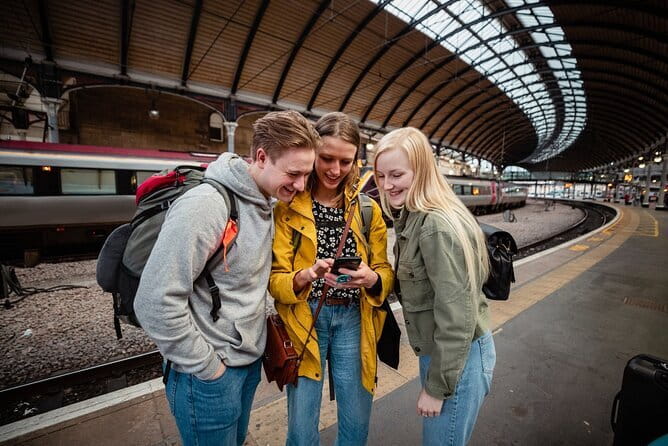
For many visitors, a modest plan is enough for the essentials. Maps, translation tools, train searches, web browsing, email, and messaging usually matter more than constant video streaming. If you download maps and entertainment on Wi-Fi before leaving your hotel, your mobile allowance can last longer.
Hotspot support adds value for a second device. You may connect a tablet or laptop, or share data with someone in your group, though hotspot use can consume the high-speed allowance quickly. A fixed 30GB plan gives you more room for this than a small daily package.
The eSIM does not include voice calls or SMS. It has no phone number, so you cannot use it as a standard Korean calling SIM. You can still use internet-based messaging and calling apps when your contacts use them, but traditional SMS verification may require your regular number or Wi-Fi.
This point matters for bookings, banking, and account logins. If a service sends a code by SMS to your home number, keep access to that number in mind. The eSIM is best understood as an internet connection, not a complete replacement for your normal phone service.
Using It at Incheon, Daegu, and Beyond

The connection can be installed before departure, but some people prefer to wait until arrival. If you install before flying, remember that the validity clock begins immediately. If you wait until Incheon, you need Wi-Fi for the installation process, unless you have another working connection.
Once installed, you can use data as soon as the phone connects to the Korean network. The practical benefit is clear: you can check directions, contact your pickup, and search for transport without looking for an airport SIM counter. You also avoid removing your physical SIM card and finding a safe place to store it.
Daegu is the listed start and end point, but the service is not limited to a particular attraction or route. It is a standalone connectivity product for South Korea. You can use it while moving between cities, provided the plan remains valid and your phone connects to the partner network.
The wider coverage information also lists South Korea with KT and mentions major airport hubs with SK Telecom. You should not assume you can manually choose every listed network, but the information suggests that airport connectivity is part of the intended use case.
Troubleshooting When Setup Goes Wrong

Most people want the QR code, a scan, and a working connection. If that does not happen, begin with the basics: confirm the eSIM is installed, select it for mobile data, turn on data roaming if the instructions require it, and restart the phone. Settings vary by manufacturer, so the exact menu names will differ.
Do not delete the eSIM profile in frustration. A digital SIM is not a physical card that you can simply reinsert, and deleting it may make further troubleshooting harder. Keep the original email and follow the supplier’s instructions.
Support is handled through replies to the Viator supplier email. Communication about delivery was praised, but support was not always quick during a service failure. One person reported that the plan took time to start and then stopped working on the second and third days, with help arriving too late to be useful.
That is the main service risk. A data problem on a short trip is not a minor nuisance if you depend on your phone for every journey. If you have a second phone, hotel Wi-Fi, or another connection available, troubleshooting is easier. You should also avoid buying this as your only safety net if you cannot verify compatibility first.
Is the $3.18 Starting Price Good Value?

At the listed starting price, this is appealing for a short, light-data visit. You avoid airport retail prices, plastic SIM handling, contracts, and automatic renewal. Instant email delivery is especially useful if your departure is near.
Value depends on the allowance. A cheap 0.5GB daily plan may work for directions, messages, and occasional searches, but it will not comfortably support constant video or heavy hotspot use. A 30GB, 30-day plan costs more than the entry price, yet may be the better buy for a long stay or shared connection.
There is also a convenience premium in the price. You are paying for advance preparation and a digital setup rather than a counter visit. For someone landing late, moving straight to Daegu, or avoiding airport queues, that convenience can be worth more than a small price difference.
The no-refund rule changes the calculation. A low price does not make an incompatible phone a good bargain. Check the device before buying, and make sure your South Korea dates are settled.
Who Should Choose This eSIM?
I would consider it for a visitor who has a confirmed South Korea itinerary, an eSIM-ready unlocked phone, and modest to moderate data needs. It suits people who want maps and messaging from the moment they arrive, especially those traveling through Seoul, Daegu, and other parts of the country.
It also fits a group that wants hotspot support, provided one person accepts responsibility for data use. The daily and fixed options give you some control, but you need to understand the 128 kbps limit after high-speed data runs out.
I would hesitate if your phone model is uncertain, if you require a Korean phone number, or if you need guaranteed rapid support during a short trip. I would also think twice about a small daily plan if you plan to stream, upload a large number of photos, or share data constantly.
Should You Book It?
Book this eSIM if you want low-cost, data-only service with fast email delivery and a major Korean network, and you have already confirmed that your phone supports eSIM. The strongest points are the easy QR setup, hotspot access, and reports of good service from Incheon and Seoul to mountainous Pyeongchang.
Skip it if you need voice and SMS, cannot verify your device, or want a refund option if plans change. The product can be very practical, but the installation clock and non-refundable policy demand care. Check your phone, choose the allowance that matches your habits, and install close to departure rather than weeks ahead.
FAQ
When does the eSIM validity begin?
The validity period begins immediately when you install the eSIM. You should install it close to your trip, while still starting use within one month of purchase.
Does the eSIM include calls or text messages?
No. This is a data-only eSIM. It does not include a phone number for traditional voice calls or SMS.
Can I use the eSIM as a mobile hotspot?
Yes. Mobile hotspot use is supported, though sharing data can use your high-speed allowance quickly.
What happens after I use the high-speed data?
Daily plans reset at 0000, GMT+8, and then continue at 128 kbps until the reset. Fixed plans continue at 128 kbps after the selected high-speed allowance has been used.
Will this eSIM work on every unlocked phone?
No. Your phone must support eSIM and be carrier-unlocked. Most devices bought in China and Hong Kong do not support eSIM, so check the exact model before purchase.
Can I get a refund if my phone is not compatible?
No. The eSIM is non-refundable, and refunds are not provided for compatibility problems or changes to your itinerary.
Just added around South Korea
- Seoul: Korean & English Language Exchange Global Party★ 5.0 · 28 reviews
- From Seoul: Yongpyong Ski Day Tour with Transportation★ 4.9 · 40 reviews
- You’re Invited to Our Home in Seoul: The Only Cooking Class!★ 5.0 · 8 reviews
- Yeosu: Private Taxi Car Private Charter Tour★ 4.7 · 3 reviews
- Your Personal Seoul Photographer!★ 4.1 · 15 reviews
- Unique Native Experience : Han River Picnic, Board game, BBQ★ 5.0 · 3 reviews
- From Seoul: Hwacheon Ice Fishing and Lighting Festival Tour★ 4.5 · 4 reviews
- Everland Theme Park: Admission Ticket | Korea★ 4.5 · 3 reviews